Vim Easymotion inspired code navigation.
This extension fork of Find-Jump that fixes the limitations of the original extension while adding additional functionality.
Important
No default keybindings are provided by this extension.
To get started, create keybindings for the following commands:
findThenJump.initiate: Starts a jump-search without text selection.findThenJump.initiateWithSelection: Jump to a search term, selecting all text between the current cursor position and the search term.
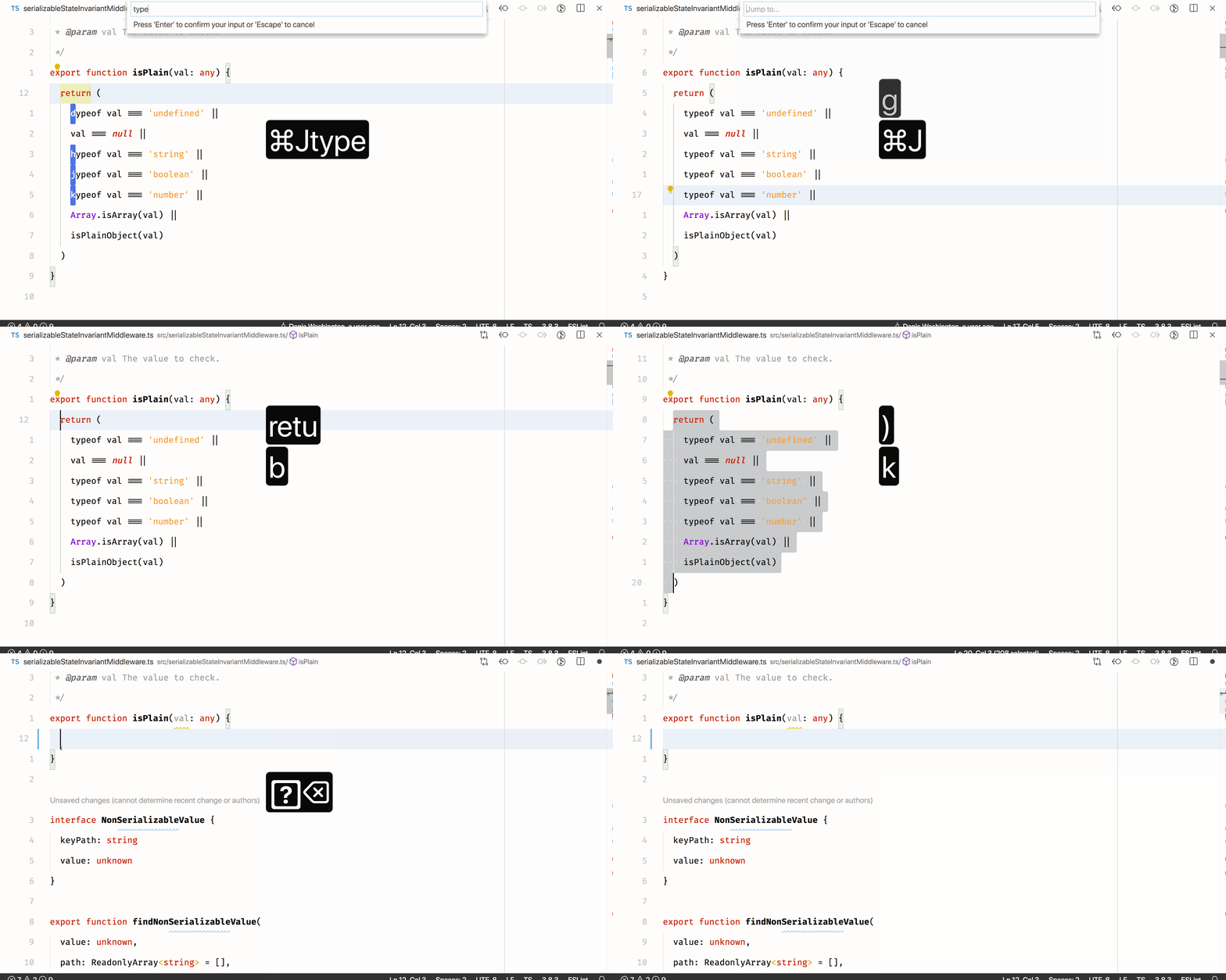
Once done, you'll be able to trigger the extension with the configured keybindings. An input box will appear where you can type your search term. Matches in the document will be annotated with an annotation containing a letter. Typing this letter will move your cursor to the annotation's location.
Use this setting to restrict the location of matches within the document.
-
default: No restrictions on the location of matches within the document.const fooBar = '' // Input: `foo` -> ✅ // Input: `bar` -> ✅ // Input: `Bar` -> ✅ // Input: `oo` -> ✅
-
word-start: Restrict matches for alpha-numerical search terms to the start of words.const fooBar = '' // Input: `foo` -> ✅ // Input: `bar` -> ✅ // Input: `Bar` -> ✅ // Input: `oo` -> ❌
You can customize the colors of the text decorations that are displayed left of each text match by adding the following settings to settings.json:
findThenJump.textDecorationForeground: Controls text color of the text decoration.findThenJump.textDecorationBackground: Controls the background color of the text decoration.
Example settings.json:
{
    "workspace.colorCustomizations": {
        "findThenJump.textDecorationForeground": "#FFFFFF",
        "findThenJump.textDecorationBackground": "#000000"
    }
}Feel free to create an issue outlining the bug or suggestion!
Extension icon made by Freepik, from FlatIcon, under a CC 3.0 BY license.