Transform your GitHub journey into an engaging experience. This platform isn't just a management tool—it's a social and gamified ecosystem designed to help developers showcase their growth, compete with peers, and discover new opportunities.
Get recognized for your hard work! Whether you're a "Star Magnet," a "Commit Machine," or a "Polyglot Programmer," our achievement system tracks your milestones across multiple tiers.
- Tiers: Progress from Bronze to legendary Gold ranks.
- Showcase: Display your hard-earned badges on your profile.
See where you stand in the developer community. Our Intelligence Score algorithm ranks users fairly based on activity, impact, and influence.
- Global & Regional: Compete globally or be the #1 in your country.
- Tech-Specific: Find out if you're the top React developer in your region.
Stop searching, start finding.
- Discovery Feed: Get personalized recommendations for developers and trending repositories.
- Developer Match: Connect with collaborators having complementary skills for your next project.
Watch your influence grow with daily snapshots of your progress.
- Trends: Track followers, stars, and contribution streaks.
- Visual Insights: Interactive charts showing your growth velocity.
To get the most out of the system, you first need to sync your GitHub data:
- Step 1: Sign in using your GitHub account.
- Step 2: Go to your Profile page.
- Step 3: Click on "Sync GitHub Data" (or wait for the automatic daily sync) to fetch your repositories, stars, and languages.
Showcase your skills and achievements directly on your GitHub profile or personal website. We offer high-fidelity SVG badges that update in real-time as your stats grow.
Using user tarxemo as an example, here are the available badge configurations:
| Badge Type | Description | Live Preview | Markdown Example |
|---|---|---|---|
| 🏆 Trophies | A premium card featuring your highest-ranked achievements. | 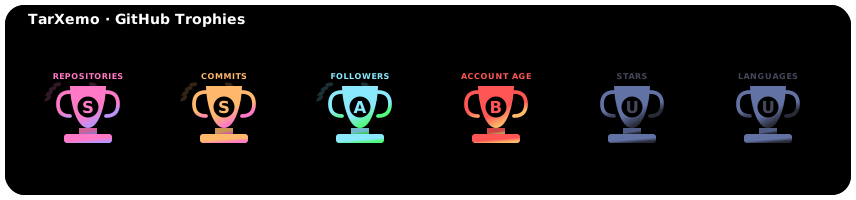 |
|
| 📊 Stats | Standard metrics: Followers, Repos, and Contributions. |  |
|
| 🌍 Rank | Your current Global and Regional (Country) ranking. |  |
|
| 🚀 Impact | A weighted score showing your influence in the community. |  |
|
| 💻 Languages | Visual breakdown of your top 5 programming languages. |  |
|
| 🔥 Streak | Your longest and current contribution streaks. |  |
|
| 🏅 Country Top | Your percentile ranking within your specific country. |  |
Copy and paste the following snippet into your README.md and replace tarxemo with your username:
<!-- Trophies (Large) -->
[](https://github.tarxemo.com/github/user/tarxemo/)
<!-- Stats (Small) -->
[](https://github.tarxemo.com/github/user/tarxemo/)Want to reach the top? The system calculates your Intelligence Score based on:
- Activity: Recent commits and pull requests.
- Impact: Total stars and forks on your repositories.
- Influence: Your follower count and organization associations. Check the Leaderboard daily to see your new rank!
Looking for someone to help with a Python project?
- Go to the Discovery feed.
- Look at the "Recommended Developers" section.
- Click "Match" on a profile to see your compatibility score based on shared languages and interests.
- Clone & Install:
git clone <repository-url>
pip install -r requirements.txt
- Environment: Create a
.envfile with yourGITHUB_TOKENand database credentials. - Migrate & Run:
python manage.py migrate
python manage.py runserver 9000
- Celery Workers:
# Run in separate terminals
celery -A github_management_project worker -l info
celery -A github_management_project beat -l info
This project is licensed under the MIT License.
Join us in building the ultimate developer ecosystem! Project Link: https://github.tarxemo.com