This is the Nerves software for the Goatmire EU 2025 digital name badge.


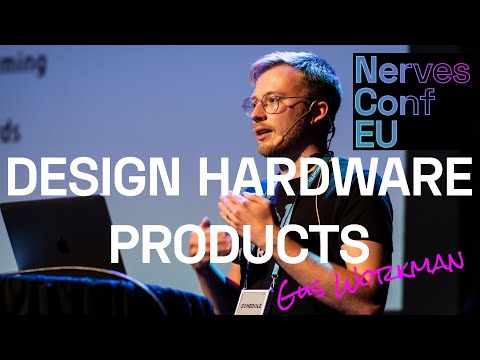
My conference talk about the badges is available on YouTube:
If you already have a badge, you can get started by following these instructions to load a firmware on your device. For those without the hardware, you can still join in on the fun by using the simulator to create new screens. See more information about the simulator below
If you have a device, it should already have usable firmware on it. That means, you should be able to connect to it via SSH over a USB connection.
To test if this is the case, do the following:
- Plug a USB-C cable from your computer to the badge
- Turn off the device via the slide switch
- Ensure the red or green LED immediately to the left of the USB port is on
- Turn on the device via the slide switch
- Wait for the device to boot
- On your machine, run
ssh wisteria.local- The default SSH password is
nerves - If you are having trouble connecting to the device, please check your network settings and verify that a USB Ethernet device is attached to your machine.
- If the issue still persists, reboot the device
- The default SSH password is
Once you are connected, you can upload the latest firmware .fw file from the
releases section of this page. To upload, run:
cat path/to/release.fw | ssh -s wisteria.local fwup
The device will automatically reboot after uploading the firmware file
The getting started guide above shows how to load pre-built firmware on the device. For advanced topics, please see the guides below:
Building firmware from source requires several dependencies:
Recommended way to install Erlang/Elixir is with
mise. After installing mise,
install the required versions of Erlang and Elixir by running mise install.
Nerves is a framework for building embedded systems with Elixir. It provides a set of tools and libraries to help you develop, build, and deploy your firmware. To install Nerves, follow the instructions in the docs:
https://hexdocs.pm/nerves/installation.html
Thanks to Matthias Männich for contributing the simulator! Here's what it looks like:

To run the simulator, use the following command:
MIX_TARGET=host iex -S mixThis will start a Phoenix LiveView on localhost:4000. It should automatically
open your browser page on launch.
Tip
When changing code while using the simulator, you can type recompile at the
IEx prompt. The running code will be updated (you may need to navigate to a
different screen or refresh the browser page to see the changes).
Warning
If you build for the simulator, then build a firmware for your device, you may see an error message like the following:
scrub-otp-release.sh: ERROR: Unexpected executable format for '/Users/gus/Projects/elixir/name_badge/_build/trellis_dev/_nerves-tmp/rootfs_overlay/srv/erlang/lib/typst-0.1.7/priv/native/libtypst_nif-v0.1.7-nif-2.15-x86_64-apple-darwin.so'

Got:
 file:Mach-O 64-bit dynamically linked shared library x86_64

Expecting:
 readelf:ARM;0x5000400, Version5 EABI, hard-float ABI

This file was compiled for the host or a different target and probably
will not work.
To fix the error, run:
mix deps.clean dither
mix deps.clean typst
MIX_TARGET=trellis mix deps.get
From here you can compile a firmware and upload as normal.
The name badge runs snake! Here's a preview:

Thanks Peter Ullrich for the contribution!
The repo for the hardware design can be found here. This includes schematics, layout and case design files.
The hardware was custom-made for Goatmire 2025, and there was only a limited supply of devices. It is technically possible to build your own from the resources in this repository. However, I do not recommend it as some of the components (e-ink display, wifi module, etc) were custom ordered from the manufacturer and will be difficult to obtain in low quantities.
I am working on a new revision of the hardware design with some nice upgrades - a 5.8" display, low power mode, additional sensors, and more. It will hopefully be available for purchase in early 2026. Stay tuned for updates!
If you have an interest in using these devices at a wide scale at an event, please get in touch - I would consider producing more units or designing custom versions of the hardware for the right event.
Special thanks to Lars Wikman for encouraging this crazy idea at Goatmire 2025, finding a sponsor to cover the cost of the hardware, brainstorming badge features with me, and so much more.
Another huge shout out to Frank Hunleth, Benjamin Milde, and Flora and Tom Petterson for helping me assemble the badges at midnight, less than 8 hours before the Goatmire conference started.
This is a project by Protolux Electronics, the small Nerves-focused consultancy that I run. We do custom hardware and software for IoT, industrial automation, and more. If you have a project in mind, let's get in touch!