This file is only used to add/edit/delete the pool infomation in poolsV2.config on the Launchpad website. Below is the guidance on how to fill in information under each title. Besides, I have also written how to check the participants and their investment amount at the end of this introduction.
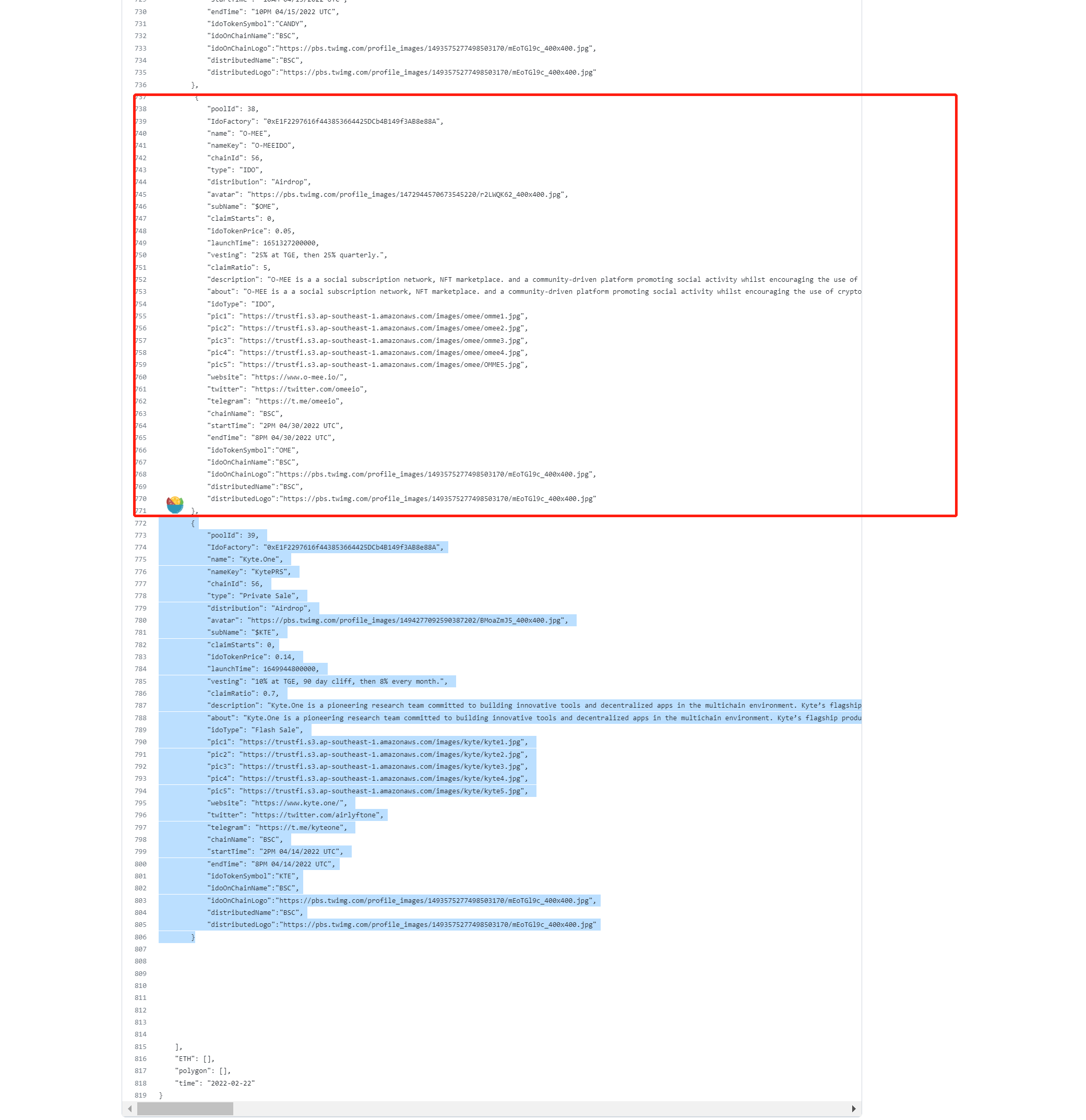
Below are some information about each title:
Before you create a pool on the website, you can ping me to know what's the PoolId, cause I need to build the pool on chain first.
Fixed value:0xE1F2297616f443853664425DCb4B149f3AB8e88A
The project name
It will show on the website link. For example:https://launchpad.trustfi.org/#/v2/**MetaFighterFPS**/join in this link, MetafighterFPS is what you fill in. Pay attention: you should make sure that each time you edit the poolid the namekey should be edited a little bit different as well. For example, if we have built a pool called Trustfi as Pool10 and also have write the information in github with poolid "10" and namekey:"TrustfiIDO". But the project party wants to change the IDO date or pool size etc. now, then we need to rebulid a new pool 11. At this time, the information in github should be poolid"11" and the namekey should be "TrustfiIDO2" or something else as long as it is not "TrustfiIDO".
Fixed value:56
It can be "IDO" or "Private Sale"
It can be "Airdrop" or "claim"
The project's Logo url.
$+Token symbol. For exmaple: $TFI
If the distribution way is "Airdrop" then fill in "0" here, if the distribution way is "claim" then fill in time here. For the time you should add a Unix timestamp in ms form. For example if it is 2022/4/14 2PM then it should be 1649944800000 here.
The price of Token. For example 0.14
When the pool will start. Also need to fill in a Unix timestamp in ms form. For example if it is 2022/4/14 2PM then it should be 1649944800000 here.
Vesting schedule
Claim ratio=1/price* how much rate will the distribute on TGE. For example, token price is 0.14 and vesting schedule is 10% at TGE, 90 day cliff, then 8% every month then the claim ratio=1/0.14* 0.1=0.7
Description about the project. Please don't make a new line no matter how long the description is.
Some other introduction about the project. It can be the same as description but still should be in on line.
It will be shown as the tag on the pool so it can be "Flash Sale"or"IDO"or"FCFS Sale"etc.
They will be shown on the top of the pool. Fill in the url of the 5 pics here.
website url
twitter url
telegram url
The project is on which chian. For example: BSC/Solona
When will the pool start. No need for Unix timestamp form this time. For example, the pool will start on 2022/4/14 2pm UTC then fill in "2PM 04/14/2022 UTC" here.
When will the pool finish. No need for Unix timestamp form this time. For example, the pool will finish on 2022/4/14 2pm UTC then fill in "2PM 04/14/2022 UTC" here.
Token Symbol. For example:TFI
The IDO is on which chian. fixed value: BSC
Fixed value:https://pbs.twimg.com/profile_images/1493575277498503170/mEoTGl9c_400x400.jpg

On which chain will the project distribute its token. For example, SOL/BSC
For example, if "distributedName"is SOL then fill in SOL's logo url here :https://pbs.twimg.com/profile_images/1472933274209107976/6u-LQfjG_400x400.jpg. If the "distributedName"is BSC the fill in BSC's logo url here: https://pbs.twimg.com/profile_images/1493575277498503170/mEoTGl9c_400x400.jpg

1. edit a pool: You can edit the information you want to edit under any title except for those fixed value.
2. delete pool: delete all the above information(Like the blue part from the pic above) of the pool you want to delete.
- please wait for at least 3 minutes, and refresh the website.
- please make sure the namekey is new and different from the previous pool.
- please google a Json verified tool that can check whether the form of your added information is correct.
- If still cannot solve the problem, please let us know.
- please wait for at least 3 minutes, and refresh the website.
- please make sure the poolid has been updated and is correct.
- please make sure the namekey is new and different from the previous pool.
- please google a Json verified tool that can check whether the form of your added information is correct.
- If still cannot solve the problem, please let us know.
- Make sure you have deleted the right information. And wait for at least 3minutes and refresh it.
- If you made mistakes and want to find the previous information you can click the history button on the right corner to see your edit histroy.
- If still cannot solve the problem, please let us know.
- please choose time according to the pool start time and end time.
- After you got the information you can check 1. whether the token is BUSD, if not, ignore it. 2.check whether there has duplicate address, if yes, combine them.
- Pay attention: If there are 2 or more pools start at the same time or some pools duration time is some overlap, please let me know in the group since it will be difficult to distinguish which pool are they in.