

An MCP server that allows you to generate and edit images using the Nova Canvas model of Amazon Bedrock.
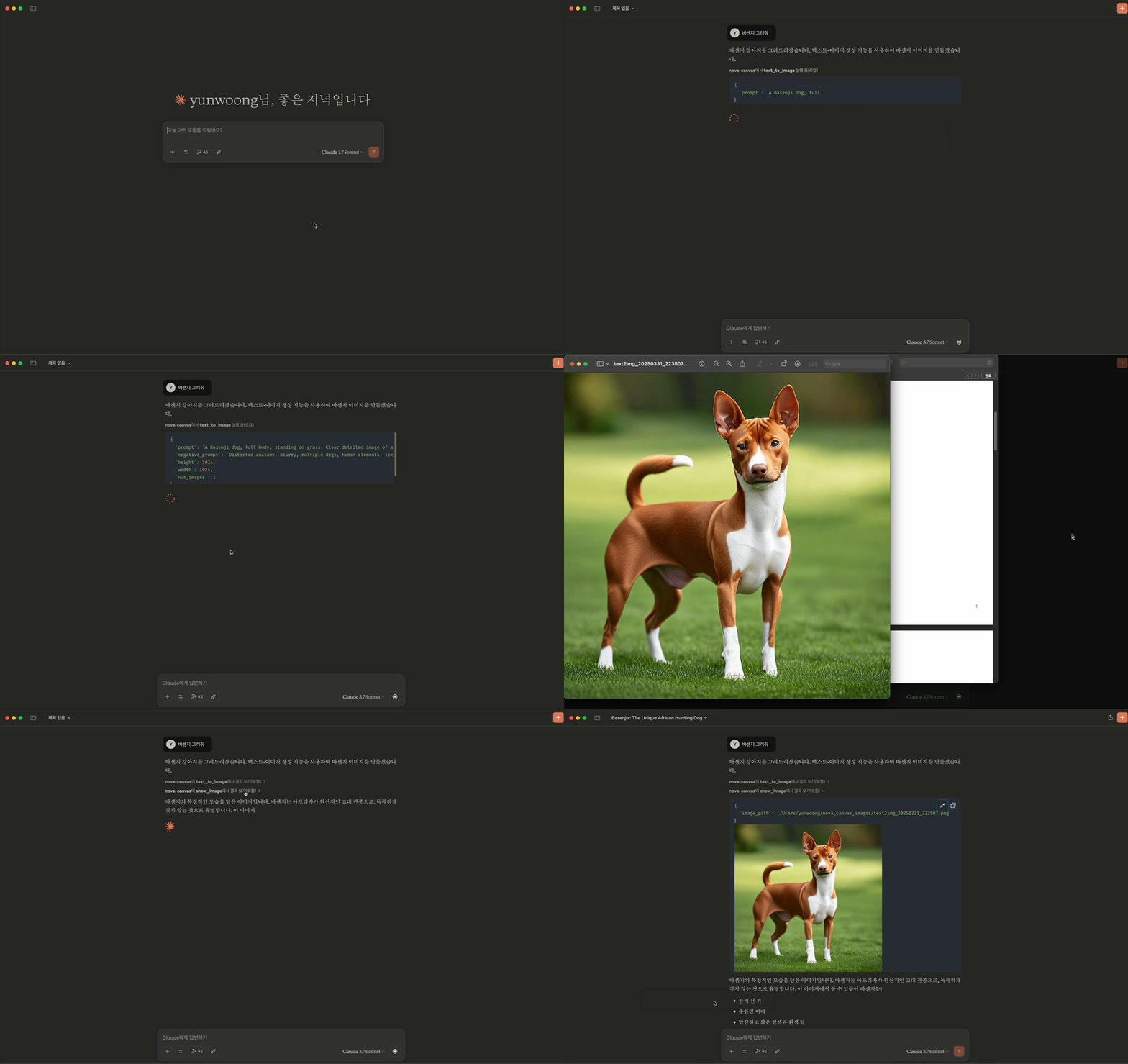
- Text to Image
- Image Inpainting
- Image Outpainting
- Image Variation
- Image Conditioning
- Color Guided Generation
- Background Removal
- Show Image Thumbnails
- Clone the repository
git clone https://github.com/yunwoong/aws-nova-canvas-mcp.git- Configure Claude Desktop
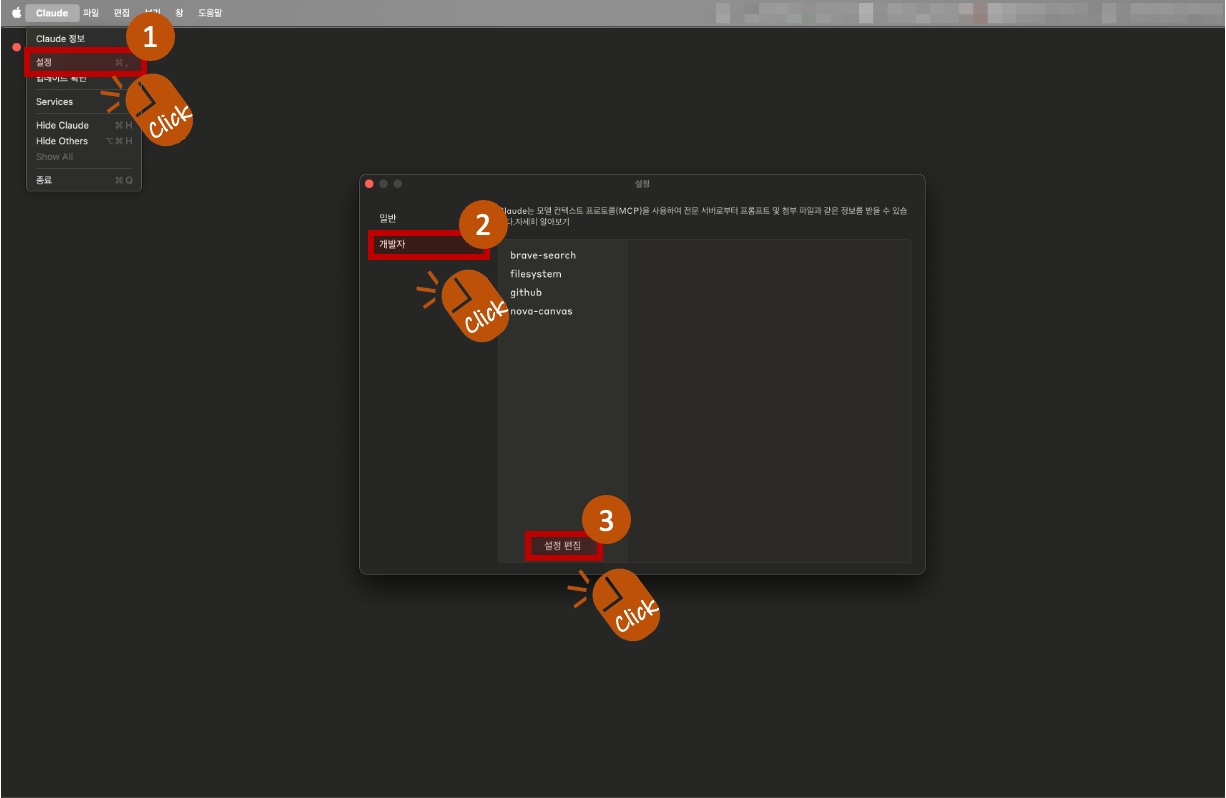
- Click on Claude > Settings from the Claude Desktop menu.
- When the popup appears, select Developer from the left menu, and click the Edit Settings button.
- This will open a folder containing the settings file. The name of this settings file is:
claude_desktop_config.json
- Add the following content to the settings file:
"nova-canvas": {
  "command": "uv",
  "args": [
    "--directory",
    "Path to clone folder",
    "run",
    "src/server.py"
  ],
  "env": {
    "AWS_ACCESS_KEY_ID": "YOUR_AWS_ACCESS_KEY_ID",
    "AWS_SECRET_ACCESS_KEY": "YOUR_AWS_SECRET_ACCESS_KEY",
    "AWS_REGION": "us-east-1",
    "PORT": "8000"
  }
}-
Environment Variables Explanation
-
Required (choose one):
AWS_PROFILE: AWS Profile Name- or
AWS_ACCESS_KEY_ID: AWS Access Key IDAWS_SECRET_ACCESS_KEY: AWS Secret Key
-
Optional:
AWS_REGION: AWS Region (default:us-east-1)PORT: Port number for the server (default:8000)IMAGES_DIR: Path where generated images will be saved (default:nova_canvas_imagesfolder in the user's home directory)BEDROCK_MODEL_ID: Model ID to use (default:amazon.nova-canvas-v1:0)
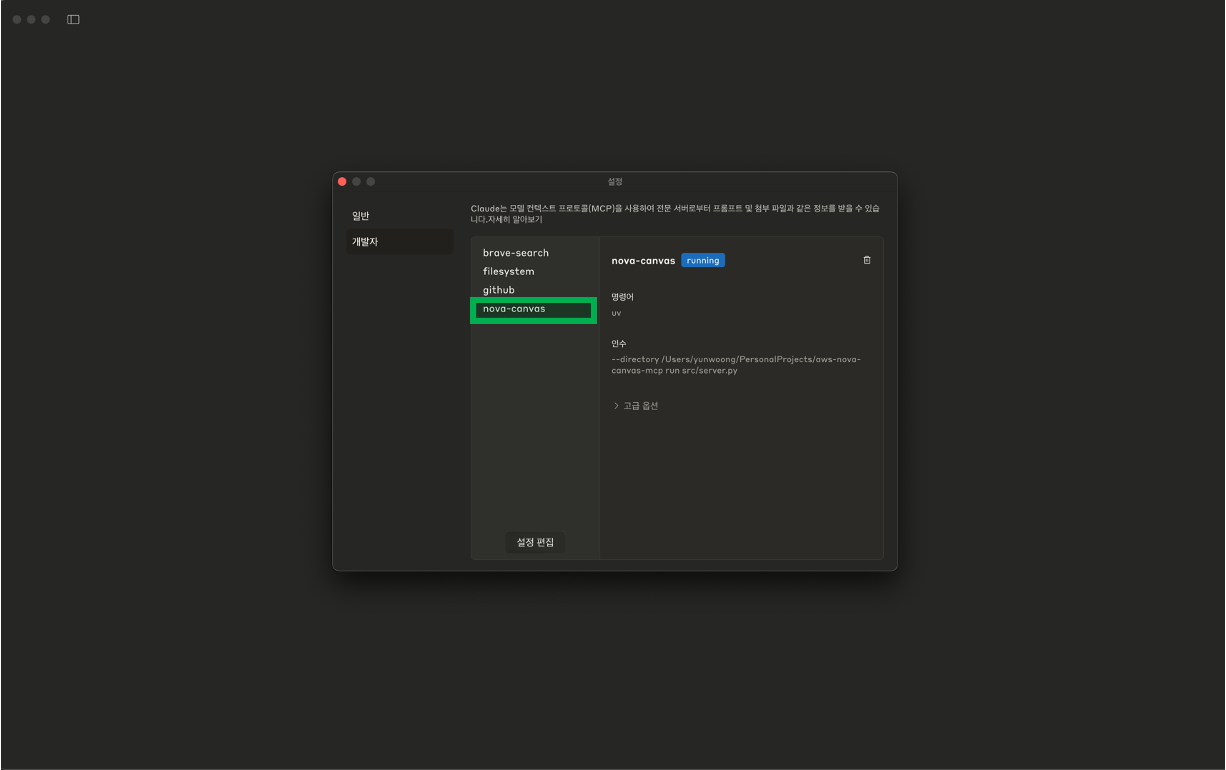
⚙️ If the setup is completed successfully, you can see that the "nova-canvas" item has been added in Claude > Settings > Developer tab.
⚠️ Important: MCP settings only work on the Claude desktop app, not the Claude web browser version -
- Prompt text supports up to 1024 characters
- Image generation allows up to 3 images at a time
- Image variation requires 1-5 reference images
- Color guide supports 1-10 color codes
MIT License