trzsz ( trz / tsz ) is a simple file transfer tools, similar to lrzsz ( rz / sz ), and compatible with tmux.


Please check https://github.com/trzsz/trzsz for more information of trzsz.
trzsz-go is the go version of trzsz, supports native terminals that support a local shell.
sudo apt update && sudo apt install software-properties-common
sudo add-apt-repository ppa:trzsz/ppa && sudo apt update
sudo apt install trzszsudo apt install curl gpg
curl -s 'https://keyserver.ubuntu.com/pks/lookup?op=get&search=0x7074ce75da7cc691c1ae1a7c7e51d1ad956055ca' \
| gpg --dearmor -o /usr/share/keyrings/trzsz.gpg
echo 'deb [signed-by=/usr/share/keyrings/trzsz.gpg] https://ppa.launchpadcontent.net/trzsz/ppa/ubuntu jammy main' \
| sudo tee /etc/apt/sources.list.d/trzsz.list
sudo apt update
sudo apt install trzsz
echo '[trzsz]
name=Trzsz Repo
baseurl=https://yum.fury.io/trzsz/
enabled=1
gpgcheck=0' | sudo tee /etc/yum.repos.d/trzsz.repo

sudo yum install trzsz
with homebrew
brew update
brew install trzsz-go
with scoop on Windows
scoop bucket add extras
scoop install trzsz
with yay on ArchLinux
yay -Syu
yay -S trzsz
go install github.com/trzsz/trzsz-go/cmd/trz@latest
go install github.com/trzsz/trzsz-go/cmd/tsz@latest
go install github.com/trzsz/trzsz-go/cmd/trzsz@latest
Download from the github releases, or install from the source code:
git clone https://github.com/trzsz/trzsz-go.git
cd trzsz-go
make
sudo make installAdd trzsz before the shell to support trzsz ( trz / tsz ), e.g.:
trzsz bash
trzsz PowerShell
trzsz ssh x.x.x.x
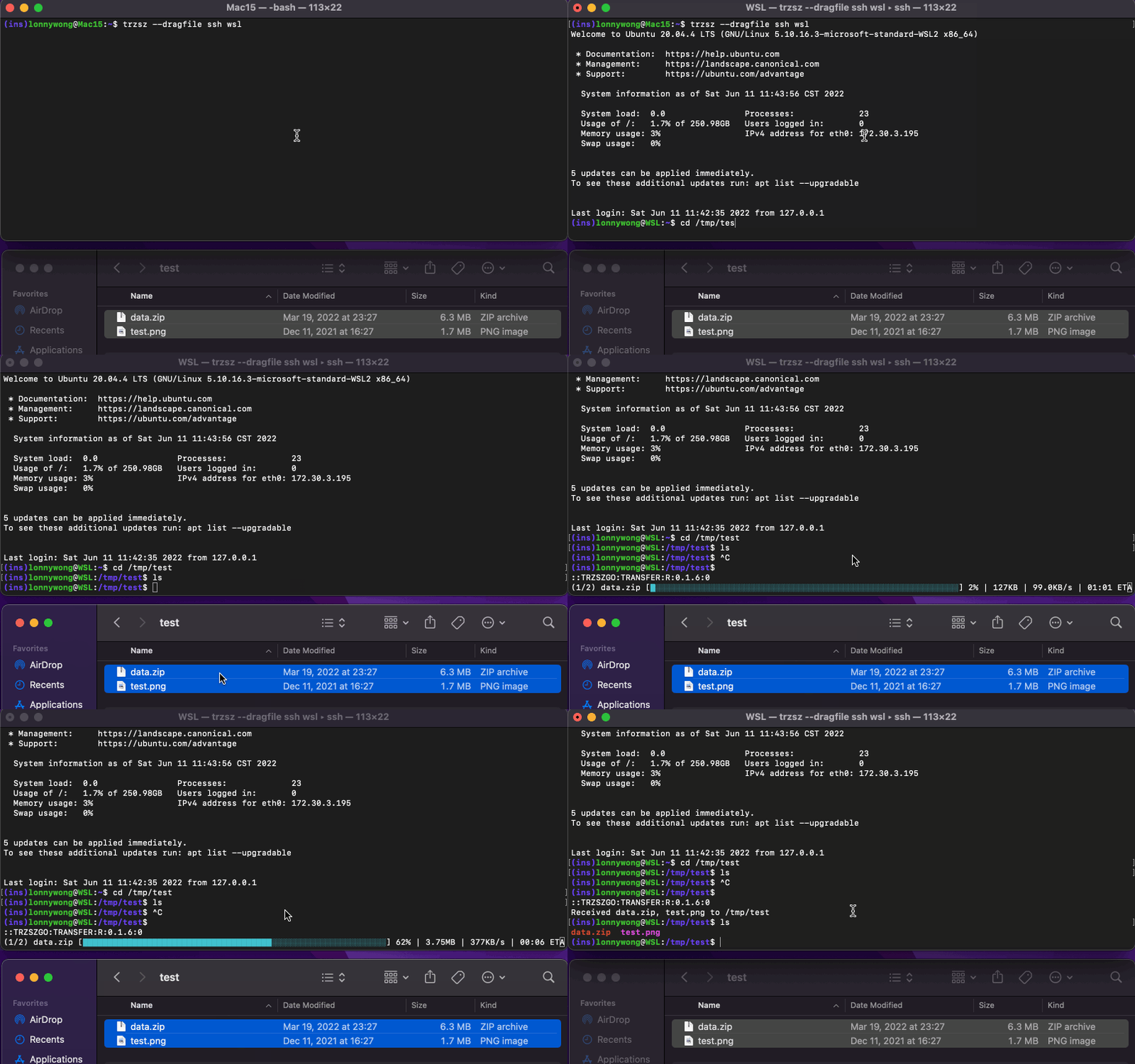
Add trzsz --dragfile before the ssh to enable drag files and directories to upload, e.g.:
trzsz -d ssh x.x.x.x
trzsz --dragfile ssh x.x.x.xIf using tmux on the jump server, use trzsz --relay ssh to login to the remote server, e.g.:
tmux
trzsz -r ssh x.x.x.x
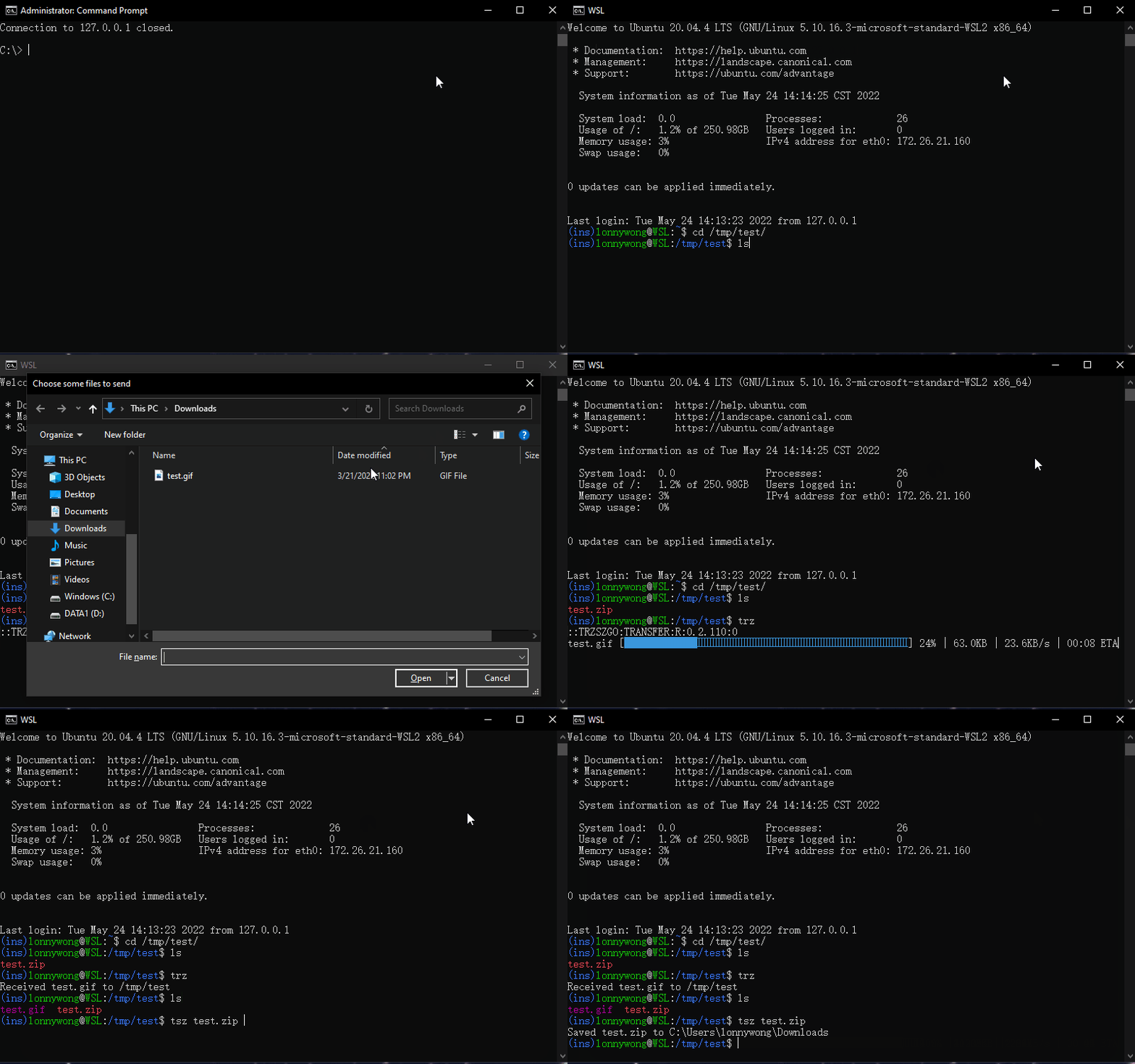
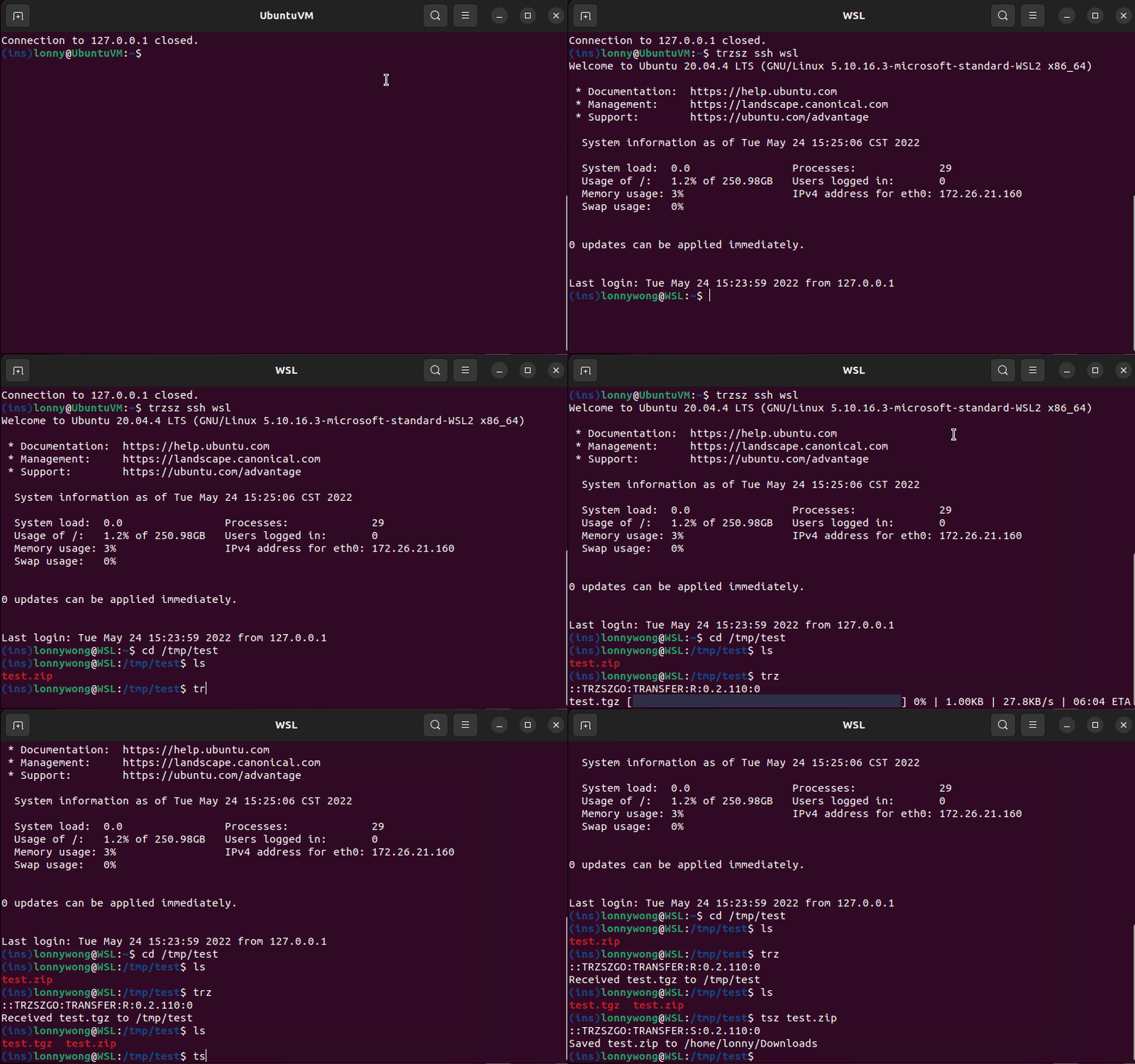
trzsz --relay ssh x.x.x.xSimilar to lrzsz ( rz / sz ), command trz to upload files, command tsz /path/to/file to download files.
For more information, check the website of trzsz: https://trzsz.github.io.
-
It is recommended to set
alias ssh="trzsz ssh"for convenience,alias ssh="trzsz -d ssh"for dragging files. -
If using
tmuxon the local computer, runtmux( withouttrzsz) first, thentrzsz sshto login.
trzsz looks for configuration at ~/.trzsz.conf. The path have to end with /, e.g.:
DefaultUploadPath =
DefaultDownloadPath = /Users/username/Downloads/
-
If the
DefaultUploadPathis not empty, the path will be opened by default while choosing upload files. -
If the
DefaultDownloadPathis not empty, downloading files will be saved to the path automatically instead of asking each time.
-
If using MSYS2 or Git Bash on windows, and getting an error
The handle is invalid.- Install winpty by
pacman -S winptyinMSYS2. Git Bashshould have winpty installed, no need to install it manually.- Add
winptybeforetrzsz, e.g.:winpty trzsz ssh x.x.x.x.
- Install winpty by
-
The
/usr/bin/sshin MSYS2 and Cygwin is not supported yet, use the OpenSSH instead.- In
MSYS2, e.g.:winpty trzsz /c/Windows/System32/OpenSSH/ssh.exe x.x.x.x. - In
Cygwin, e.g.:trzsz "C:\Windows\System32\OpenSSH\ssh.exe" x.x.x.x. - Or use trzsz-ssh instead, e.g.:
tssh alias( Thetsshincludestrzsz ssh).
- In
-
Dragging files doesn't upload?
- Don't forget the
--dragfileoption. e.g.:trzsz -d ssh x.x.x.x. - Make sure the
trzin one of thePATHdirectory on the server. - On Windows, make sure there is no
Administratoron the title. - The
cmdandPowerShellonly support draging one file into it. - On the Windows Terminal, drag files to the top left where shows
Paste path to file.
- Don't forget the
Want to write your own ssh client that supports trzsz? Please check the go ssh client example.
Feel free to email the author lonnywong@qq.com. Welcome to join the QQ group: 318578930.
Want to buy the author a drink 🍺 ?


Thanks @BrightXiaoHan @pmzgit.