Did you not like the look of the Arduino IDE but were stuck with it nevertheless? Not anymore, this package provides some essential features of the Arduino IDE.
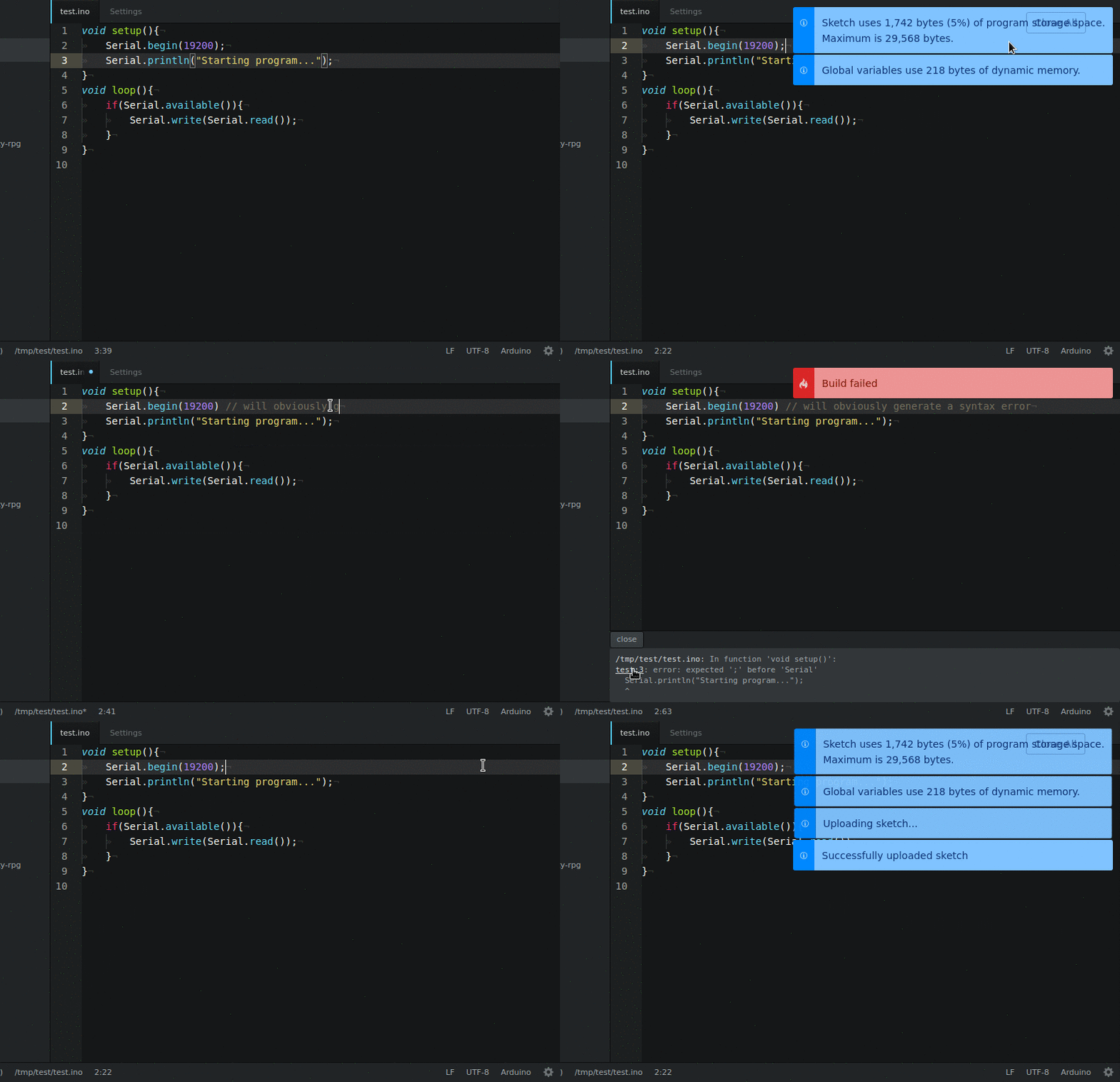
- Verify a sketch
- Build a sketch
- Upload a sketch
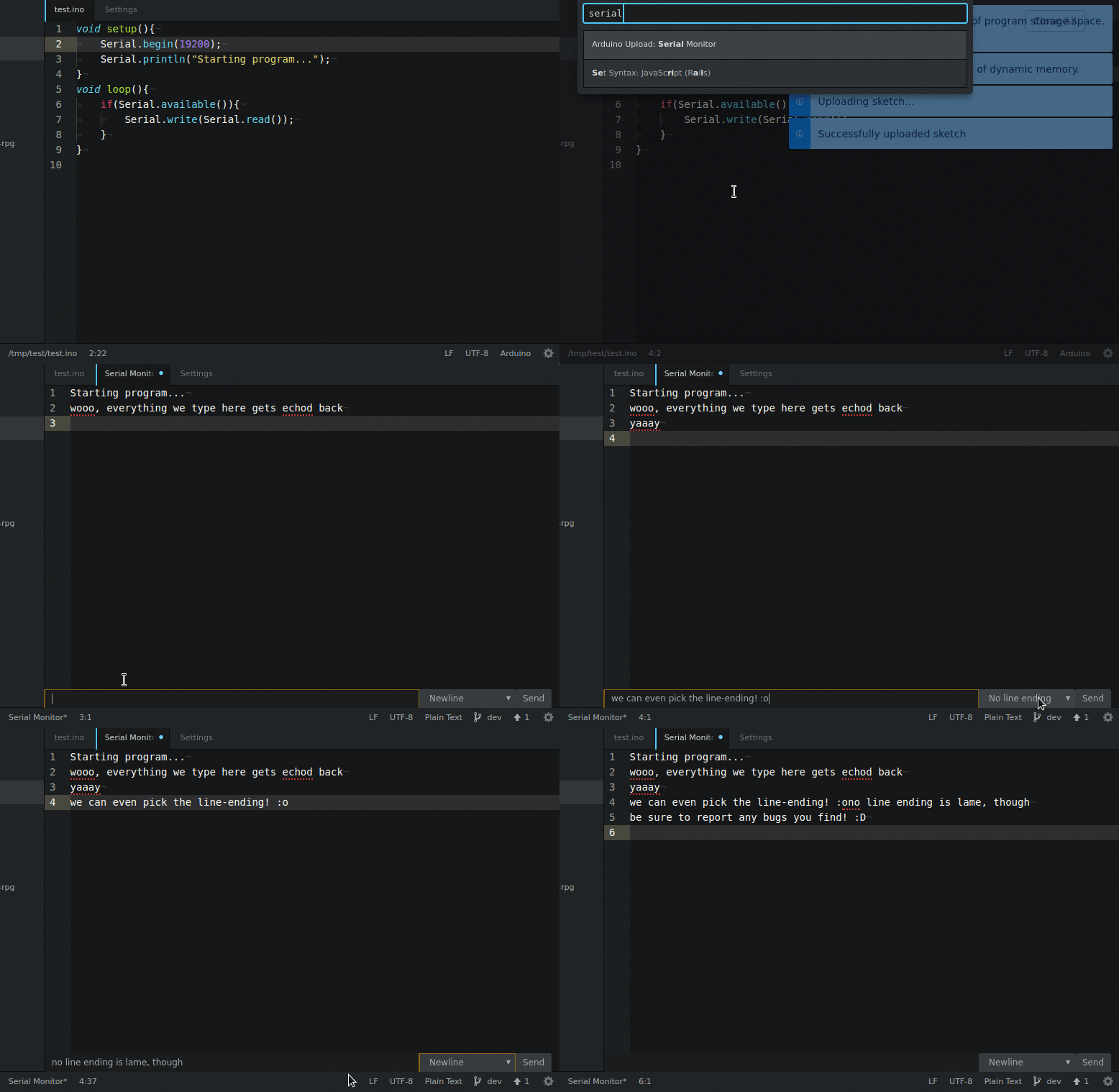
- Serial Monitor
- Error output when compiling
- Files are clickable in build output --> cursor jumps to that line in that file
- Switch board directly in the status bar
apm install arduino-upload
(Requires atom 1.10 or later)
- The verify/build output does not appear? Make sure your Arduino official IDE language is set to English.
- Windows
- Getting
Uncaught Error: spawn EPERM? Be sure you don't have the Microsoft Store version of the Arduino IDE. - #65 - Can't install because of the serialport package? Try installing the Visual C++ 2015 building tools by running
.\npm install --global --production windows-build-toolsfrom the directory%LocalAppData%\atom\app-[VERSION]\resources\app\apm\binin an adminastrative PowerShell (this uses atoms integrated npm instead of requiring an external instance). Then update apm config withapm config set msvs_version [VERSION](the version installed by the tool should be 2015) andapm config set python [PATH]\python.exe(where PATH is the path to the python executable). - #46
- Getting
arduino-upload:verify- Verifies the sketches (checking for error output), deletes all sources, thougharduino-upload:build- Builds the current sketch, the .hex, .elf, .eep and .bin are copied to the sketch directoryarduino-upload:upload- Uploads the current sketch to a connected arduinoarduino-upload:serial-monitor- Opens the serial monitor of a connected arduino
You can place these commands in a toolbar using the Flex Tool Bar package. Here's how.
Verifying a program:
Serial monitor: