API to post projects and products updates for stakeholders and teams to keep track of
This API provides an endpoint to post, update, get and delete projects, as well as endpoints to post, update and delete project's updates. It is also worth mentioning that this API requires credential validation to operate. Therefore, it is also possible to sign up and sign in, as well as get basic user's data such as user_id, username, and creation_date.
- Accessing the API
- Users endpoint
- Authentication
- Projects endpoints
- Updates endpoint
- Final notes
- Technologies used
- Next steps
The API is being hosted by a heroku's set of dynos instances.
The plain HTTP API endpoint can be access through the link: https://change-log-api.herokuapp.com
However, since FastAPI provides a vision tool to document and test all API's endpoints with authentication features, we will be using the docs port
The users endpoint is currently being hosted under the /users path and is comprised of two methods: POST method at /users and GET method at /users/{id}.
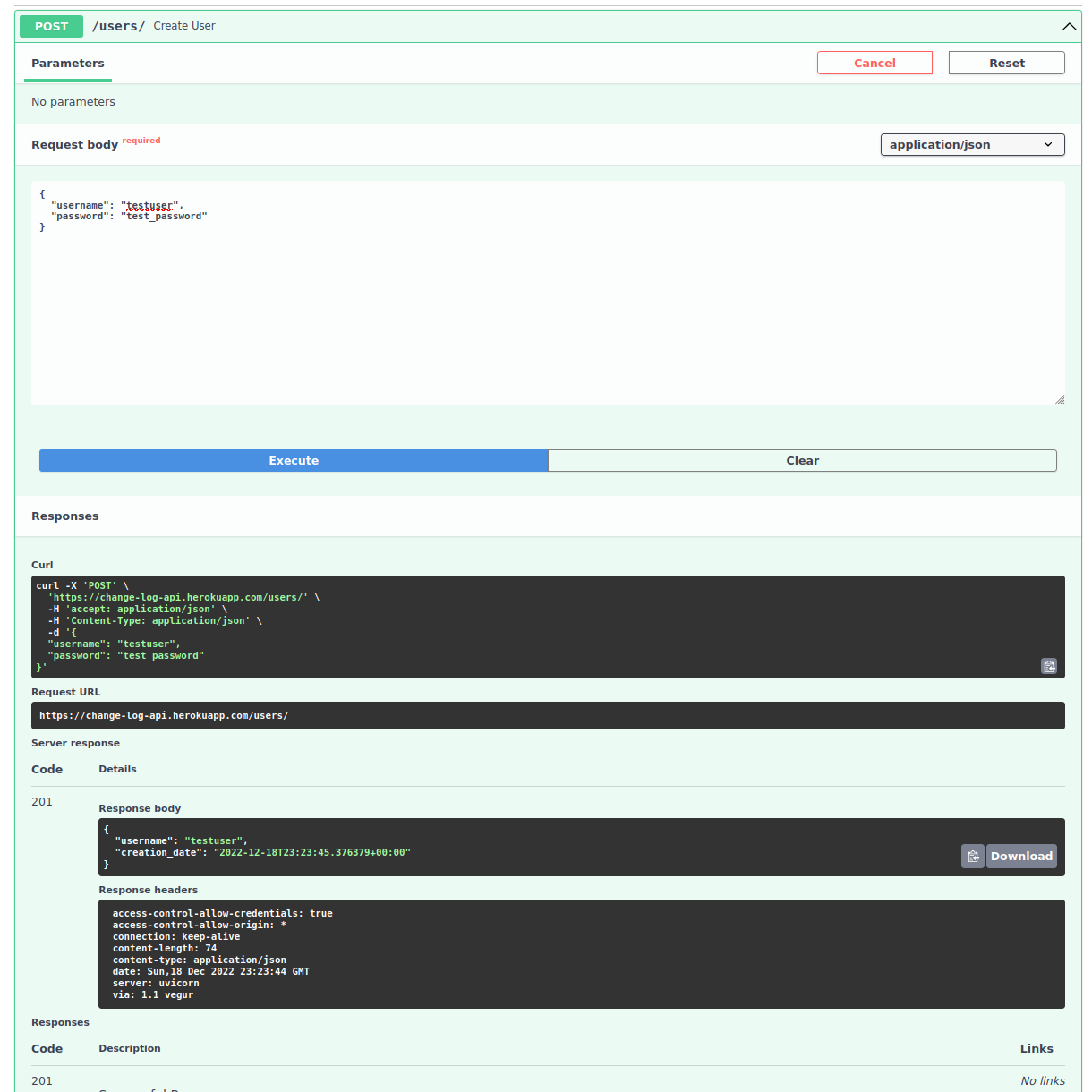
This method is used to create an user (aka sign up). To make a request, click on the interface's POST method and hit 'try it out'. Then, simply fill the request body and click the execute button (note that the username should be composed of only alphanumeric characters).
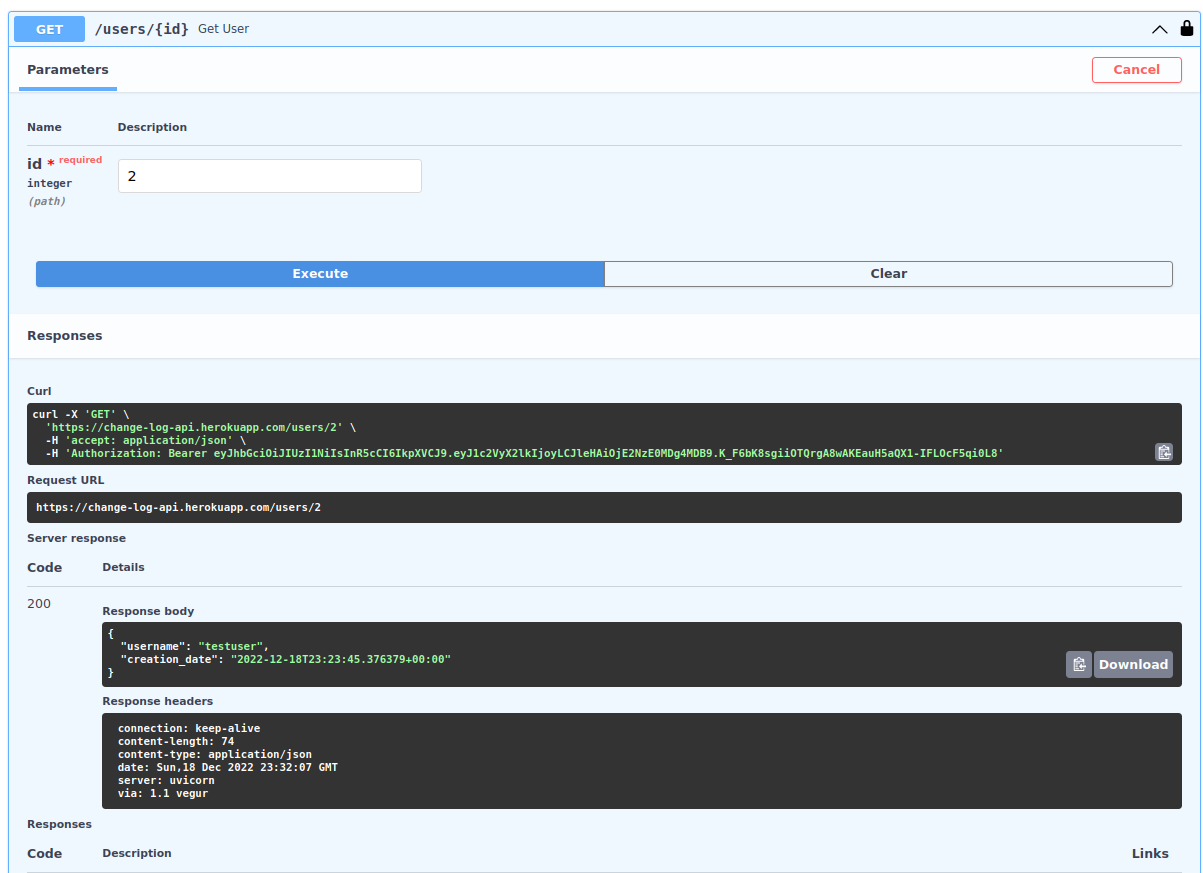
At this GET request, you can check user information given an user id:
This API can only work if you are properly logged in as an registered user in the database. To do so, first you should Sign up. Then Proceed to authorize your requests:
The fastAPI docs interface provide a simple way to log in an authorize your requests. Simply click the green authorize button and provide your user credentials:
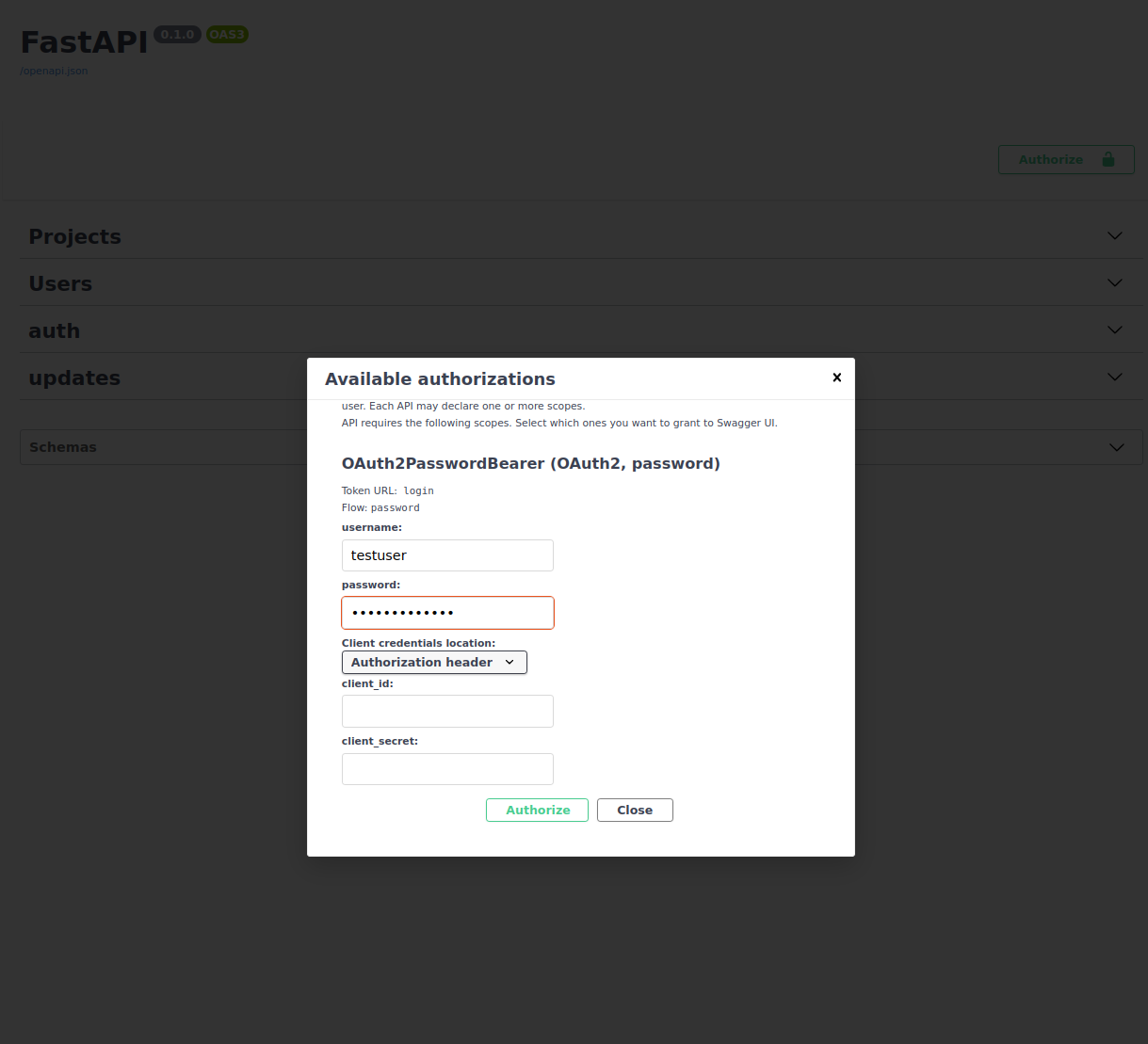
And then hit authorize:
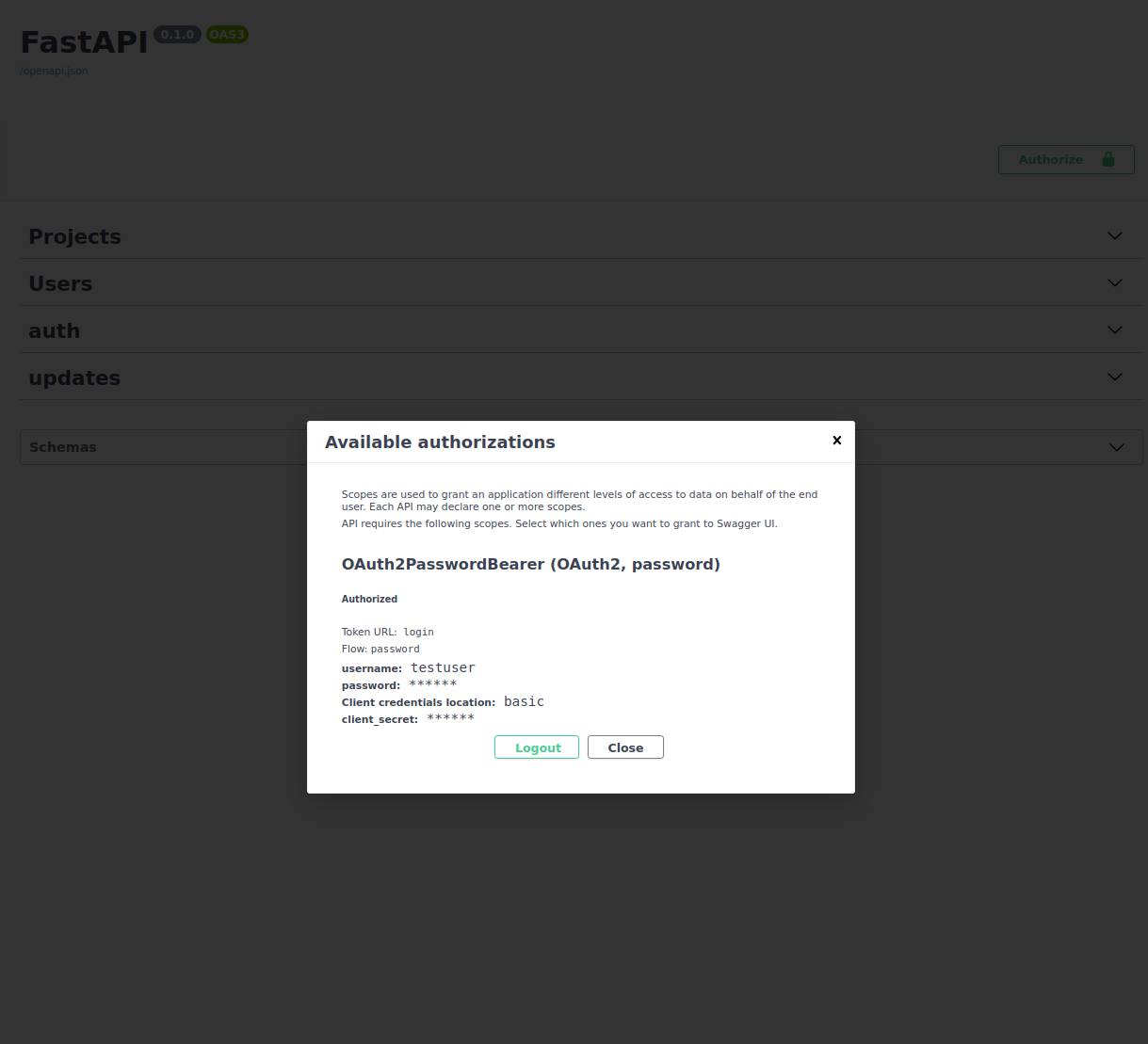
That's it. Your logged in.
It is worth to mention that login sessions will last for a maximum of 45 minutes. After that you should authorize your session one more time.
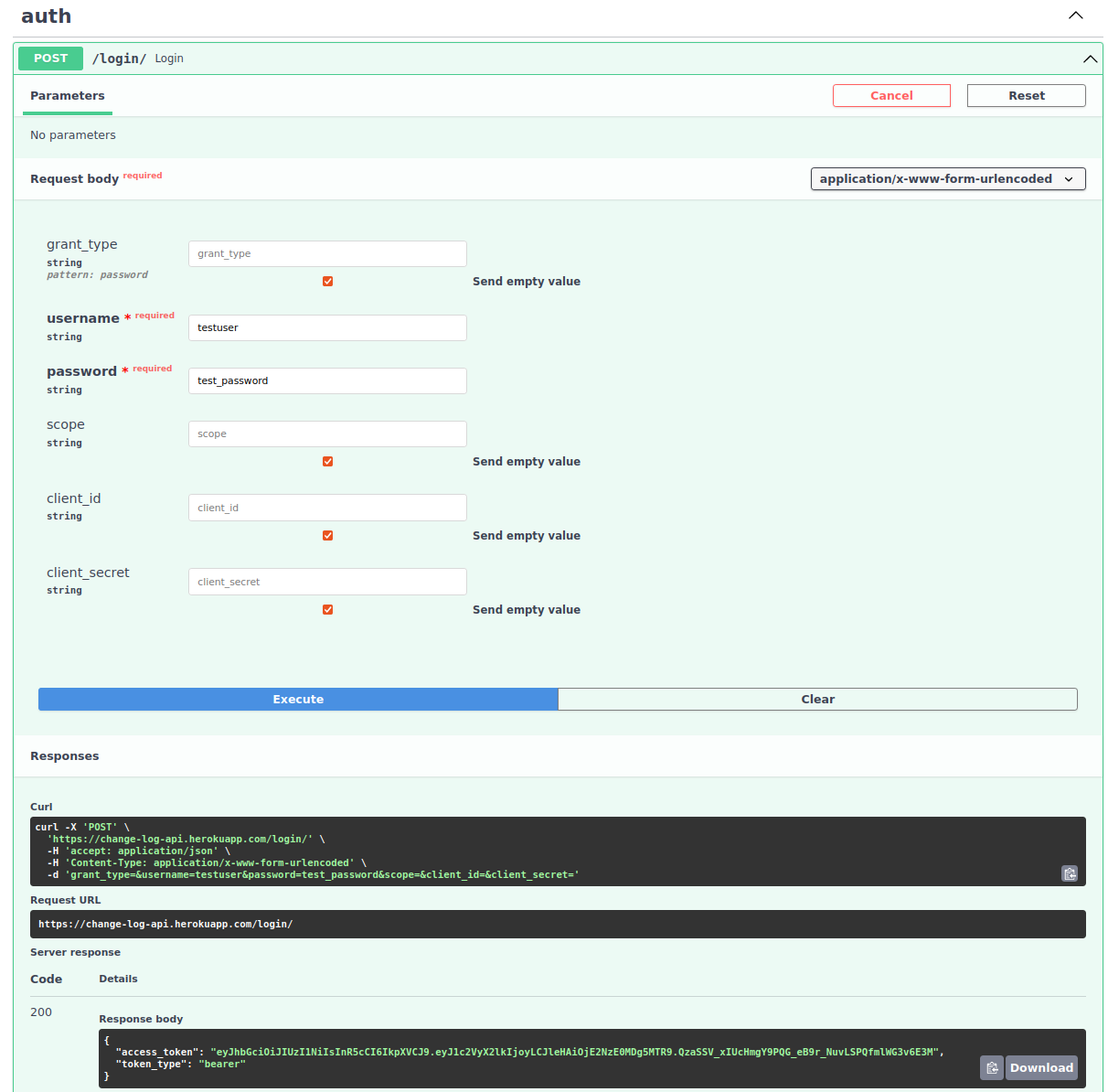
To get your JWT token for test purposes, simply use the POST method at the /login path, under the auth tag:
The project endpoint is where the frontend or client will upload new projects or fetch projects in the database.
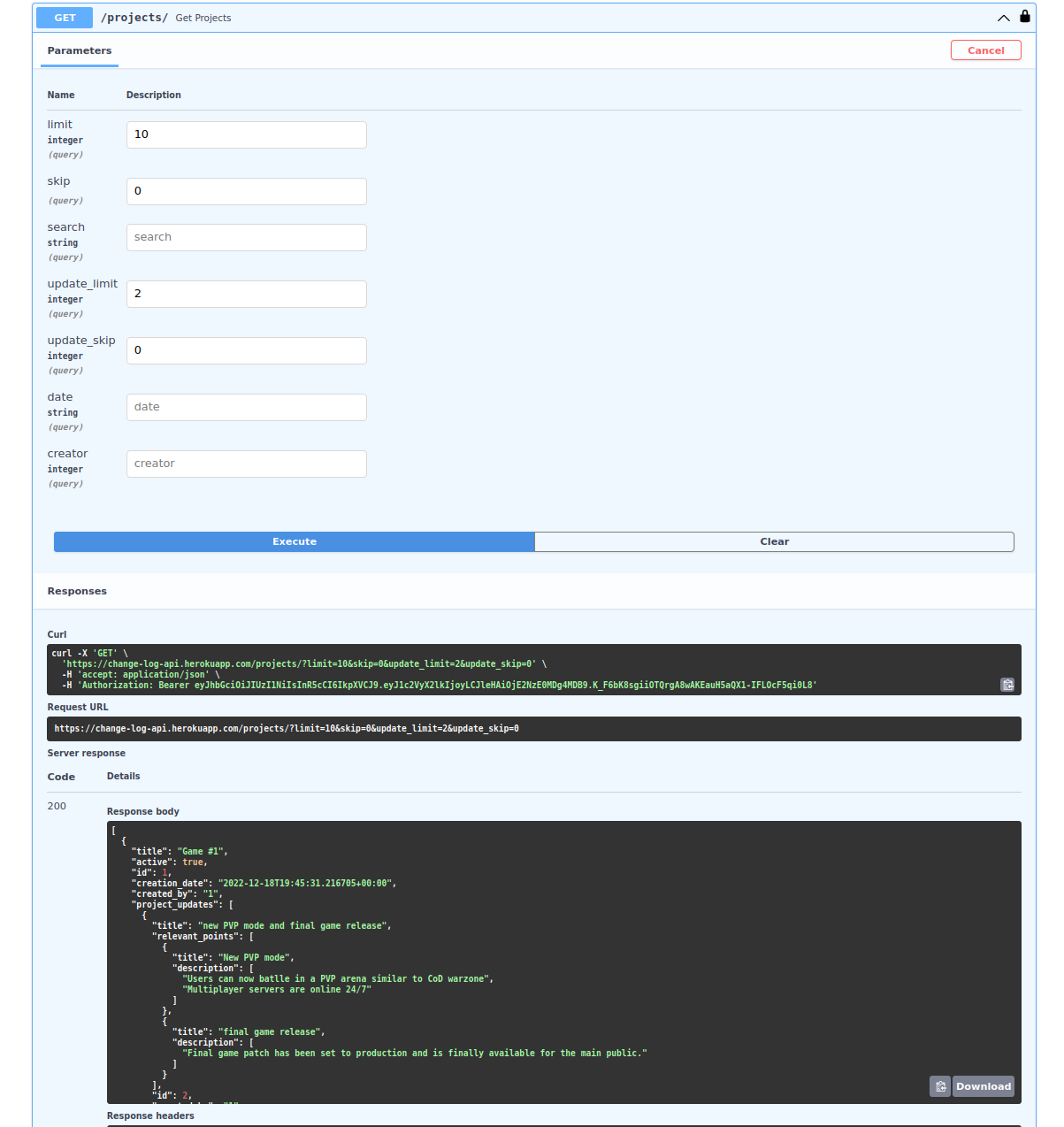
This method is used to retrieve all projects currently stored in the database as well as their updates and other relevant details. It offer pagination through the use of the limit and skip query parameters, and, for projects with a long update track, you can create pagination using update_limit and update_skip to limit the number of updates per project.
There is also the search, date, and creator query parameters that allow for filtering when looking for projects with a specific title (string), in a given date (string with the yyyy-mm-dd format) or created by a certain user_id (integer).
Projects and project's updates will be fetched sorted by creation date in descending order.
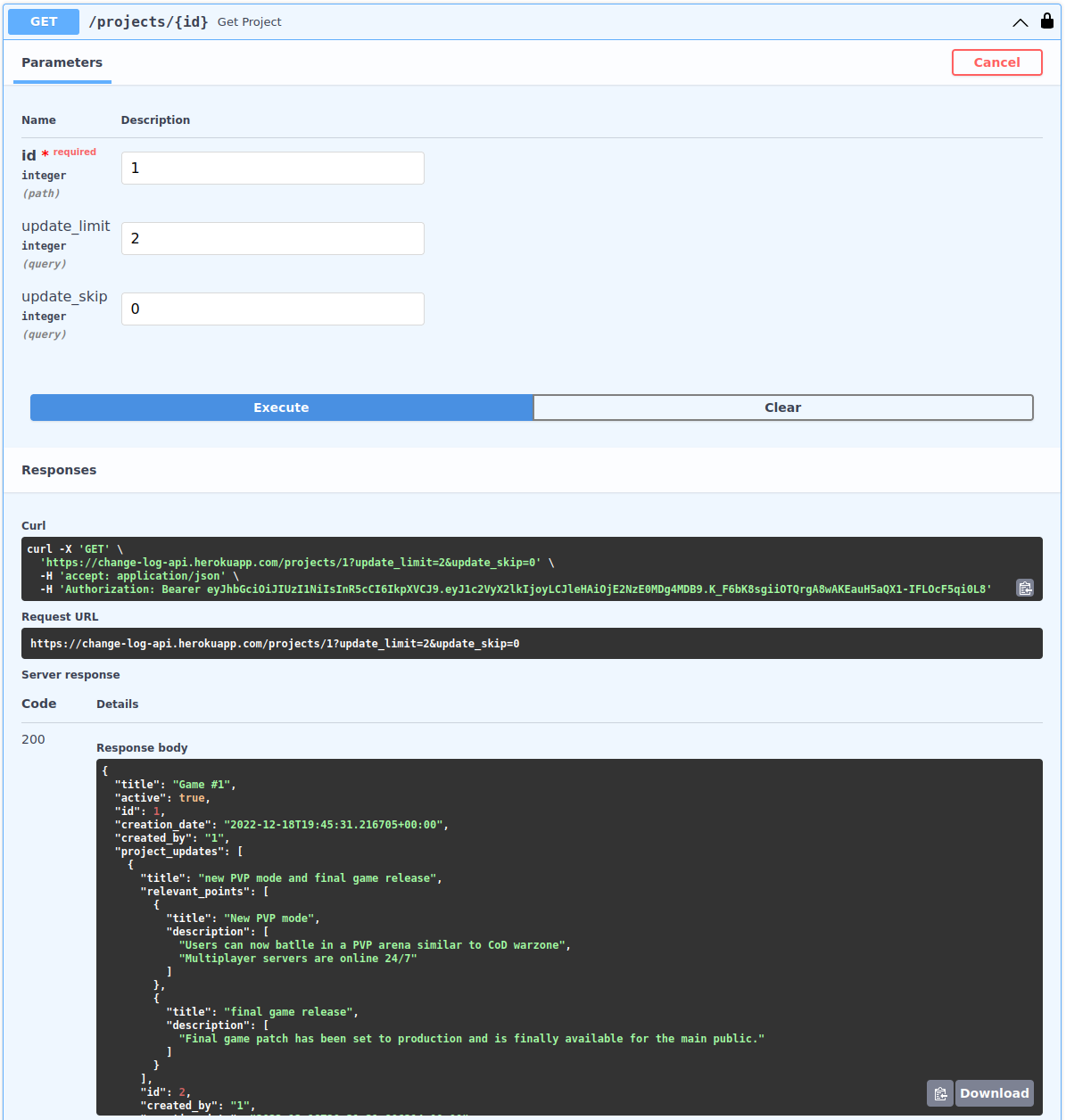
This get method is similar to the last one, but it allows you to search for a very specific project by providing the project's id.
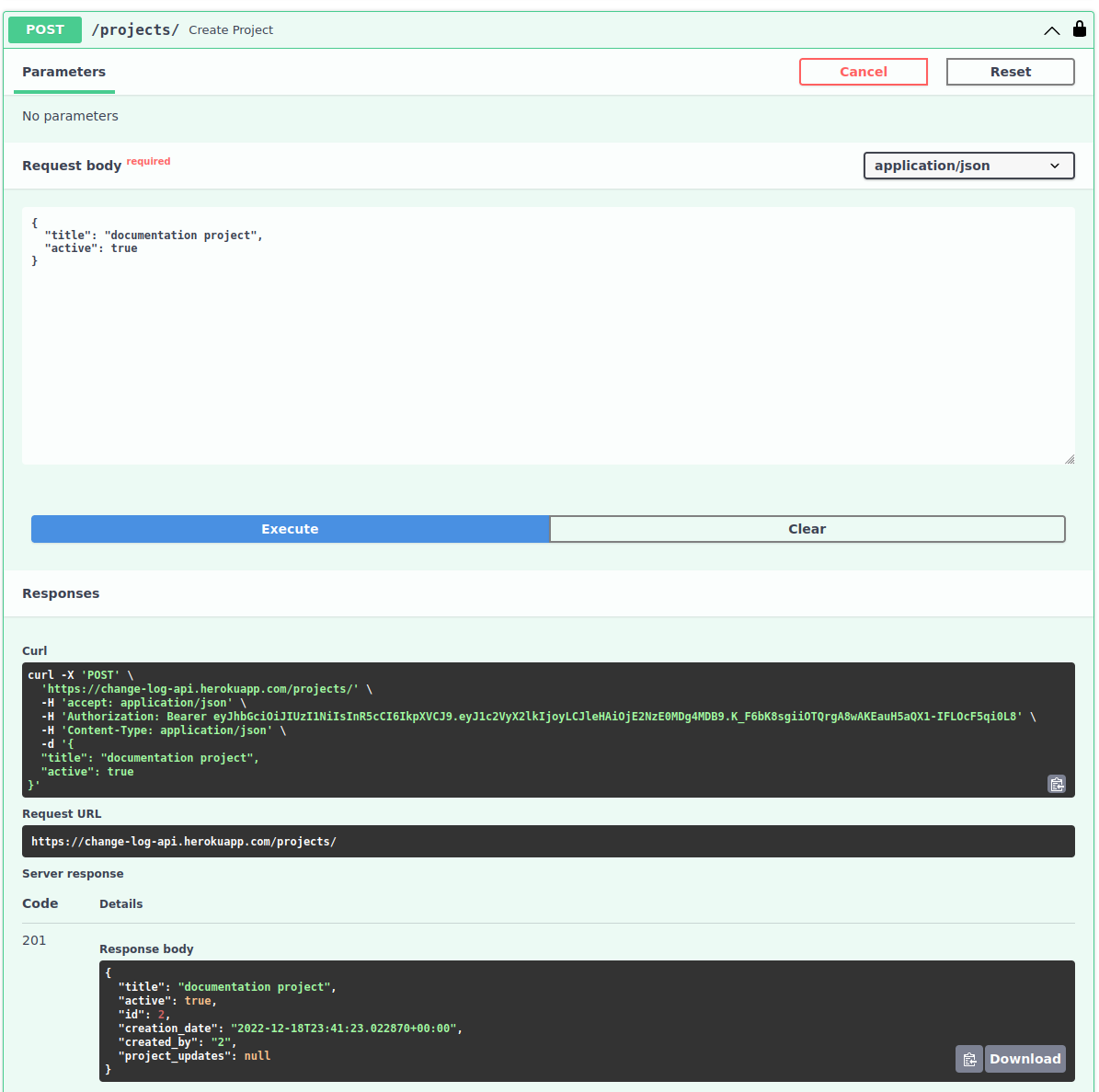
To create a new project, you should use this POST method by providing the project's string title and active boolean.
This PUT method is used to update a projects title or current status. It is important to note, though, that this method is not capable of changing a project's updates track. For that you should use the PUT Updates

As the simplest method, this DELETE request will delete from the database all of the project's data, updates and relevant points and descriptions. Use it carefully.
As you may have noticed, we have not been able to provide relevant updates for our projects yet. This is really something, since the proposition of this repository is to develop a tool for project's tracking and distribution accross teams, stakeholders and other relevant parts. That's why this update endpoint at the /updates/ path is so relevant for the project's overall success.
Here every user is capable of creating an update for projects already stored in the DB. To query which projects are at the DB. The available methods are:
This endpoint will allow users to provide updates, relevant points and descriptions for projects already present in the database. The relevant request body parameters are the update title string, the relevant_points array of points data type, and the project_id integer to specify the project which this update belong.
A point data type is defined by a relevant_point title string and an array of the relevant point descriptions strings.
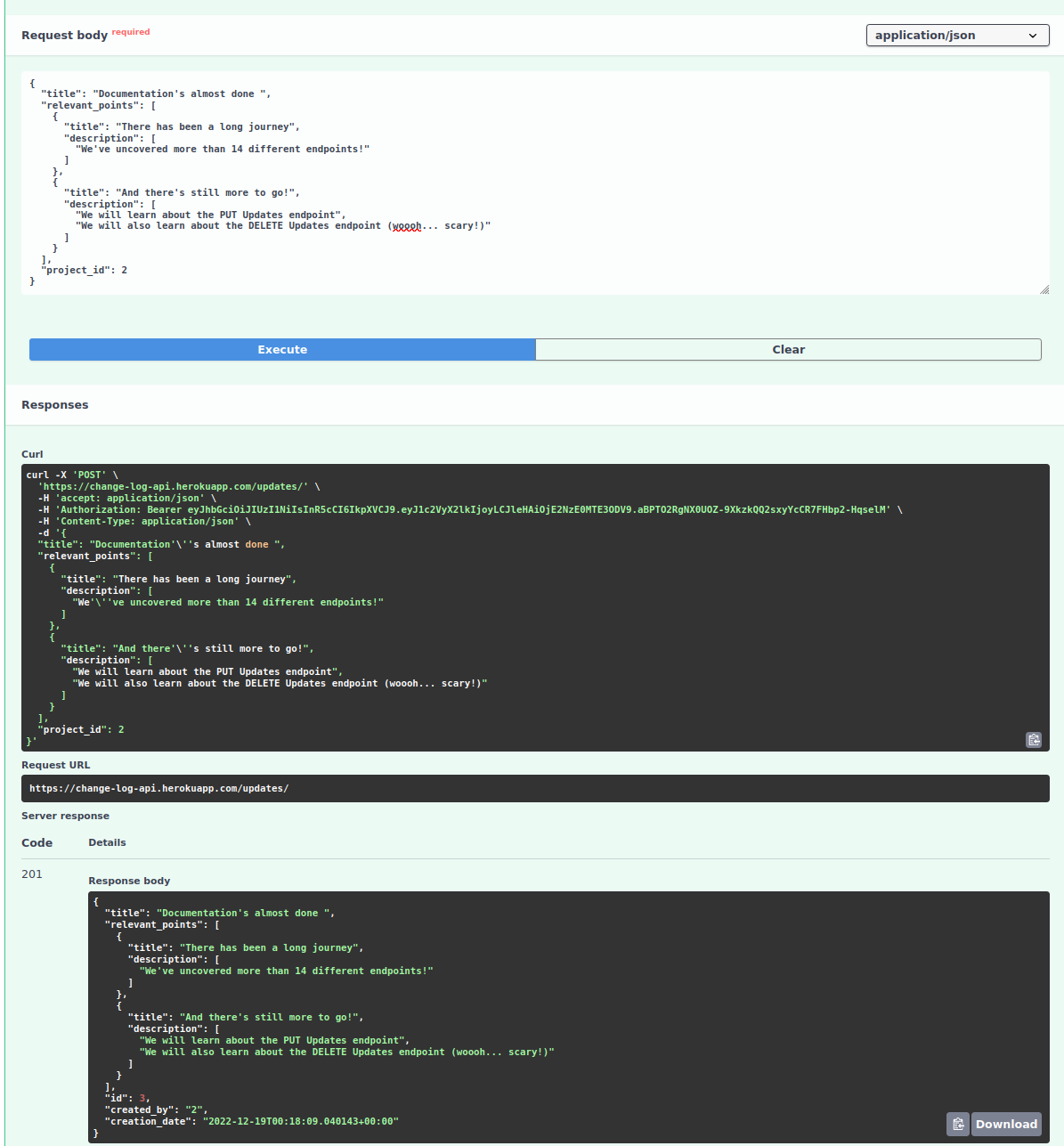
This section is pretty much the same as the last one. The difference being that you should provide the update id as a path parameter in /updates/{id} and then fill the new parameters!
This last method is very straight forward! Provide an update Id and delete it from the database (projects that held that update will no longer retrieve it since it was erased from the database).
Note that all dates are registered and fetched in the UTC timezone. As such, it may not respond with the datetime you were expecting (even though the timestamp is precisely the same). So, please don't get upset! It is just a matter of different timezones!
This project works perfectly fine with API development tools such as postman, if you wish to. Just register the API URL and you are good to go!
Lastly, This project was tested against most cases I could think of. If you find anything that went overlooked, please let me know or hit me with a PR :)
- Python
- FastAPI
- Alembic
- Postgres
- SQLAlchemy
- Heroku CLI
- Many other frameworks
Possible next steps are to develop a nice UI, enhancing the client's overall experience, as well as to optimize the API's infrastructure and database design to improve performance.