Snapshot Profiles
Here you can define exactly when a snapshot will be triggered. There are 3 triggers available currently:
- Layer/Height trigger
- Timer Trigger
- Gcode Trigger
click to see the tab
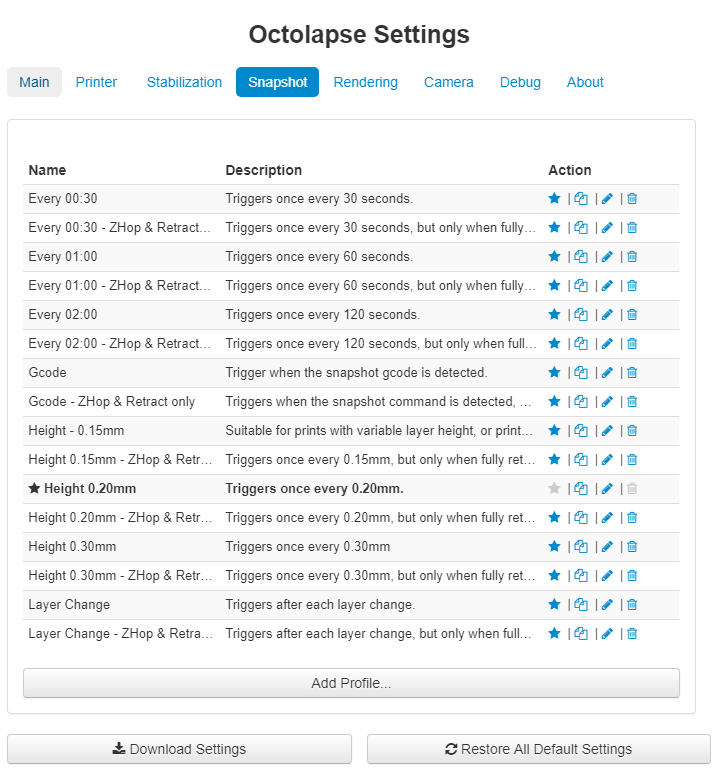
You can get to the snapshot profiles by opening the Octolapse settings and clicking on the 'Snapshot' tab.
click to see the profile
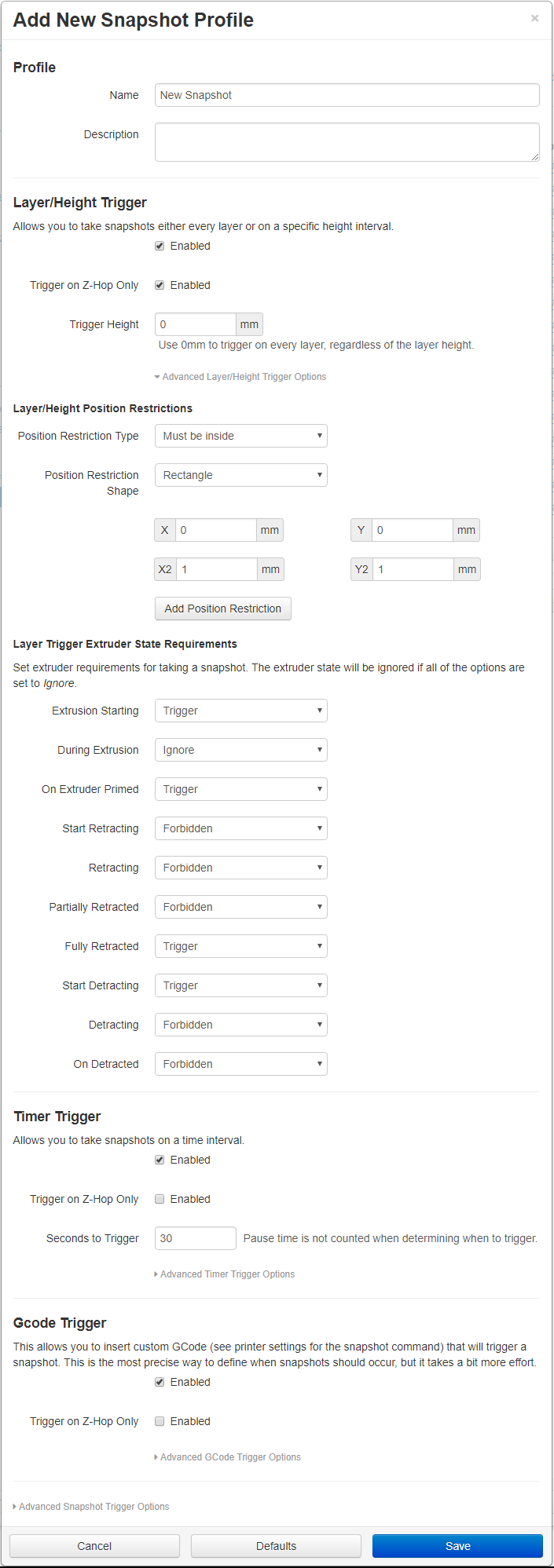
To detect a layer Octolapse watches for extrusion. After Octolapse detects that all axes are homed to a known position, it watches for extrusion below the priming height (see priming height in the printer profile settings). The height of this extrusion determines the current layer height. The next time an extrusion is performed on a higher layer, Octolapse will detect a layer change.
Height changes are detected in much the same way as layer detection, except Octolapse will take at most one snapshot every increment. For example, if your model is sliced with a layer height of 0.2mm and you set set the Trigger Height to 0.3mm, Octolapse will take a snapshots on the following layers:
Before the first layer, the increment height is 0.0mm
layer 1 - z=0.2 - Increment Height:0.3 since 0.0 <= z
layer 2 - z=0.4 - Increment Height:0.6 since 0.3 < z
layer 3 - z=0.6 - Increment Height:0.6 since 0.6 < z is FALSE
layer 4 - z=0.8 - Increment Height:0.9 since 0.6 < z
layer 5 - z=1.0 - Increment Height:1.2 since 0.9 < z
layer 6 - z=1.2 - Increment Height:1.2 since 0.9 < z is FALSE
layer 7 - z=1.4 - Increment Height:1.5 since 1.2 < z
You may want to set the trigger height to a value higher than 0 the following situations:
- Vase Mode - You MUST set a trigger height here, else a snapshot will be taken after EVERY extrusion!
- Variable Layer Height - Your timelapse may appear to speed up and slow down when printing with variable layer height.
- Infill on different layers - Sometimes infill/support is printed at a different heights which can cause a lot more snapshots to be generated than you'd normally expect.
- Very tall items - If you want to keep your FPS reasonable and your timelapse length reasonable for a very tall print, you may want to set a height increment to a value slightly larger than your layer height. This will reduce total snapshot time too!
If this option is enabled, Octolapse will monitor the gcode looking for Z-Hops, and will only trigger a snapshot while lifted, according to your Print Profile settings.
The lift distance is calculated by looking at the z height of the most recent extrusion. If this is equal to or above the Z-Hop print profile setting, a snapshot can proceed, else Octolapse will wait for a z-hop before triggering a snapshot
Nothing here yet